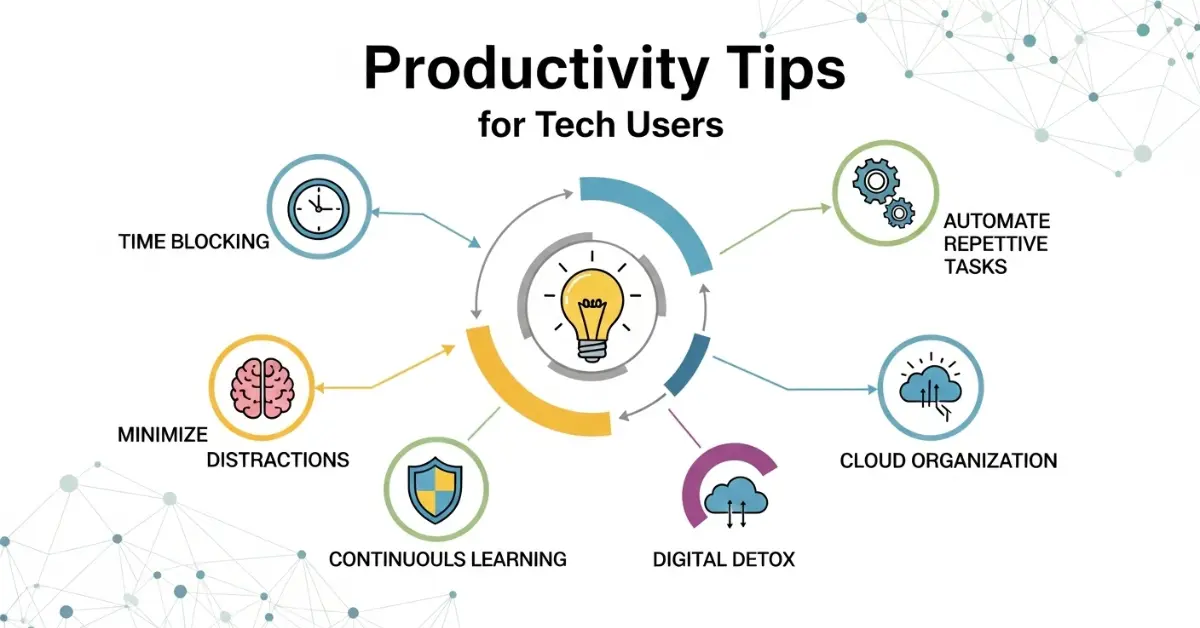
Technology is a big part of our daily life. Many people use computers, smartphones, and the internet for work, study, and communication. But sometimes technology can also waste our time if we do not use it wisely. That is why learning Productivity Tips for Tech Users is very important. These tips help people work faster, stay focused, and manage their digital tasks better.
By using the right methods and tools, tech users can save time, reduce stress, and complete more work in less time. In this guide, you will learn simple and practical Productivity Tips for Tech Users that anyone can follow to become more organized and efficient while using technology.
Understanding the Digital Work Environment
Before improving productivity, it is important to understand how the digital environment works. A digital workspace includes devices, software, applications, internet services, and digital files. Many people today work online or use technology for important tasks such as writing documents, sending emails, attending meetings, managing projects, and storing information.
A digital workspace becomes messy when files are not organized or when too many applications are open at the same time. This confusion can slow down work and make it difficult to find important information. Many tech users also install many apps that they rarely use, which can reduce device performance and increase distractions.
To build a productive digital environment, users should focus on clarity and simplicity. A well organized workspace helps people think clearly and work faster.
Important elements of a productive digital workspace include:
- A clean computer desktop
- Organized folders for documents and files
- Only necessary applications installed
- Clear naming system for files
- Reliable internet connection
- Updated software and security tools
When the digital workspace is organized properly, tech users can spend more time working and less time searching for files or solving technical problems.
Setting Clear Goals Before Using Technology
One of the biggest mistakes tech users make is starting work without a clear goal. Without a goal, it is easy to move from one task to another without completing anything important. Clear goals help people stay focused and avoid wasting time online.
Before starting work on a computer or phone, it is helpful to ask simple questions such as:
- What task do I need to complete today
- How much time should I spend on this task
- What result do I want to achieve
When goals are clear, technology becomes a helpful tool instead of a distraction.
Simple goal setting methods include:
- Writing a daily task list
- Dividing large tasks into smaller steps
- Setting deadlines for each task
- Checking completed tasks at the end of the day
Goal setting gives direction to daily work and helps tech users measure their progress.
Organizing Digital Files and Folders
Many people waste time searching for documents, photos, or files on their computers. This problem happens because files are not organized properly. Good file organization is an important part of productivity.
A simple folder system can make a big difference. For example, a user can create folders such as Work, Projects, Personal Files, Photos, and Important Documents. Inside each folder, more specific folders can be created.
Helpful file organization practices include:
- Creating folders for different types of work
- Using clear and simple file names
- Deleting unnecessary files regularly
- Backing up important files in cloud storage
When files are easy to find, work becomes faster and less stressful.
Managing Time While Using Technology
Time management is one of the most important Productivity Tips for Tech Users. Technology gives access to unlimited information and entertainment, which makes it easy to lose track of time.
Many tech users open their devices for a five minute task but end up spending hours on unrelated activities. Managing time carefully helps avoid this problem.
Useful time management techniques include:
- Creating a daily work schedule
- Setting time limits for tasks
- Using timers to stay focused
- Planning important work during the most productive hours
Another helpful technique is the focused work method where users work for a set period and then take a short break. This method helps maintain energy and concentration.
Reducing Digital Distractions
Digital distractions are one of the biggest productivity challenges today. Notifications, social media updates, and online messages can interrupt work many times during the day.
Every time a person checks a notification, the brain needs time to return to the original task. This reduces efficiency and increases stress.
Common digital distractions include:
- Social media notifications
- Email alerts
- Messaging applications
- Online videos and entertainment websites
Simple ways to reduce distractions include:
- Turning off unnecessary notifications
- Using silent mode during work time
- Keeping only important apps open
- Working in a quiet environment
When distractions are reduced, tech users can focus better and complete tasks more quickly.
Using Productivity Apps and Tools
Technology itself can also improve productivity when the right tools are used. Many applications are designed to help people organize tasks, manage time, and store information efficiently.
Popular types of productivity tools include:
- Task management apps
- Note taking apps
- Cloud storage services
- Calendar scheduling tools
- Project management platforms
Benefits of using productivity tools include:
- Better organization of tasks
- Easy access to files from different devices
- Improved collaboration with team members
- Automatic reminders for deadlines
Choosing simple and easy to use tools is important because complicated tools can create confusion instead of improving productivity.
Automating Repetitive Tasks
Many digital tasks are repetitive and take time when done manually. Automation allows technology to complete these tasks automatically.
Examples of automated digital tasks include:
- Email filters that organize messages
- Automatic file backups
- Scheduled social media posts
- Automatic software updates
Automation saves time and reduces the chances of human error. Tech users should identify tasks that repeat every day and find ways to automate them.
Improving Focus During Digital Work
Focus is the ability to concentrate on one task without interruption. In the digital world, maintaining focus can be difficult because many websites and applications compete for attention.
Multitasking is often seen as a useful skill, but research shows that switching between tasks can actually reduce productivity.
Ways to improve focus include:
- Working on one task at a time
- Setting clear priorities
- Using full screen mode to remove distractions
- Taking short breaks after focused work sessions
A focused mind produces better quality work in less time.
Keeping Devices Clean and Optimized
A slow computer or phone can reduce productivity significantly. When devices are full of unnecessary files or outdated software, they take longer to perform simple tasks.
Regular device maintenance helps maintain performance.
Important device optimization practices include:
- Deleting unused applications
- Cleaning temporary files
- Updating operating systems
- Running antivirus scans
A fast and reliable device allows users to work without interruptions.
Learning Keyboard Shortcuts and Tech Tricks
Keyboard shortcuts are small tricks that can save a lot of time. Instead of clicking multiple menus, users can perform tasks instantly with a simple key combination.
Examples of useful shortcuts include:
- Copy text using Ctrl plus C
- Paste text using Ctrl plus V
- Select all content using Ctrl plus A
- Save documents quickly using Ctrl plus S
Learning just a few shortcuts can improve efficiency and make digital work faster.
Maintaining Digital Health and Balance
Technology helps productivity, but too much screen time can harm health. Long hours in front of screens can cause eye strain, poor posture, and mental fatigue.
Healthy technology habits include:
- Taking short breaks every hour
- Adjusting screen brightness
- Sitting with correct posture
- Doing simple stretching exercises
Maintaining a healthy balance between digital work and personal life is important for long term productivity.
Building Strong Daily Tech Habits
Productivity is not achieved in one day. It develops through consistent habits and routines.
Helpful daily productivity habits include:
- Starting the day with a clear plan
- Checking the most important tasks first
- Avoiding unnecessary internet browsing during work time
- Reviewing completed work before ending the day
Over time, these habits become natural and improve overall efficiency.
Solving Common Productivity Problems for Tech Users
Many people want to become productive but struggle to maintain consistency. Common problems include procrastination, lack of organization, and too many distractions.
Solutions for these problems include:
- Breaking large tasks into smaller steps
- Setting realistic deadlines
- Limiting social media usage
- Creating a dedicated workspace
With patience and practice, anyone can overcome productivity challenges.
Future of Productivity for Technology Users
Technology continues to evolve and new tools are being developed to help people work more efficiently. Artificial intelligence, smart assistants, and advanced productivity software will make digital work even easier.
Future productivity improvements may include:
- AI tools that organize tasks automatically
- Smart reminders that suggest better work schedules
- Voice controlled digital assistants
- Advanced collaboration platforms for remote teams
Tech users who adapt to these innovations will benefit from faster and smarter workflows.
Common FAQs About Productivity Tips for Tech Users
Faqs of Productivity Tips for Tech Users:
What are productivity tips for tech users?
Productivity tips for tech users are strategies and habits that help people use technology efficiently so they can complete tasks faster and avoid wasting time.
Why is productivity important for tech users?
Productivity helps tech users manage time better, complete work faster, and reduce stress while using digital tools.
How can I reduce distractions while using technology?
How can I reduce distractions while using technology
You can reduce distractions by turning off unnecessary notifications, limiting social media use, and focusing on one task at a time.
What are the best tools for improving digital productivity?
Task management apps, note taking tools, calendar planners, and cloud storage services are some of the best productivity tools.
How can I organize my digital files better?
Create clear folders, use simple file names, and regularly delete unnecessary files to keep your system organized.
Do keyboard shortcuts really improve productivity?
Yes, keyboard shortcuts save time because they allow users to perform tasks instantly without navigating through menus.
How can automation help tech users?
Automation allows repetitive tasks such as email sorting, backups, and updates to happen automatically, saving time and effort.
What is the biggest productivity mistake tech users make?
One of the biggest mistakes is multitasking and constantly switching between tasks, which reduces focus and efficiency.
Conclusion
Technology offers powerful opportunities for improving work efficiency, but only when it is used wisely. Learning and applying Productivity Tips for Tech Users can transform the way people manage their time, organize their tasks, and complete their work.
By setting clear goals, organizing digital files, reducing distractions, and using helpful productivity tools, tech users can achieve better results with less effort. Simple habits such as maintaining devices, learning shortcuts, and managing screen time also contribute to long term productivity.
The most important thing to remember is that productivity improvements happen gradually. Small changes in daily technology habits can create big improvements over time. Anyone who follows these Productivity Tips for Tech Users can become more efficient, focused, and successful in the digital world.